


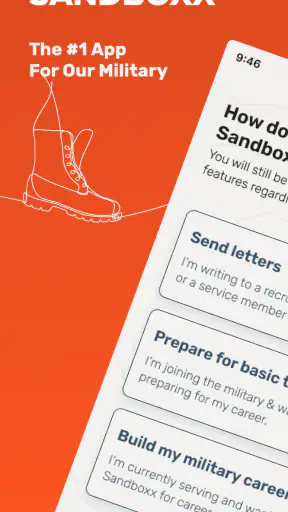
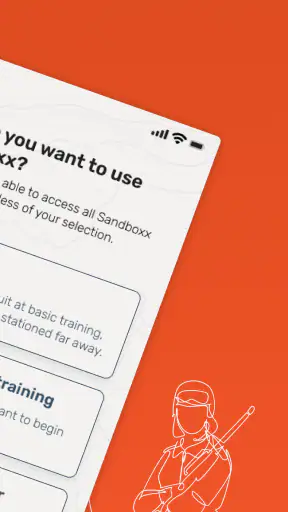
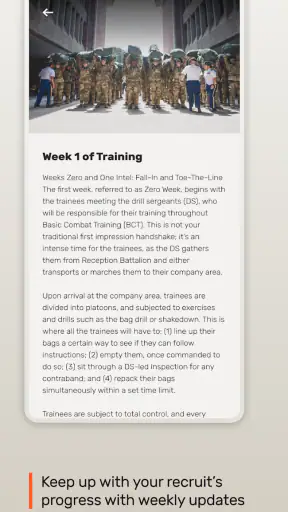
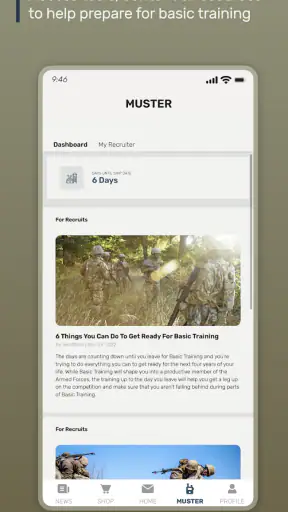
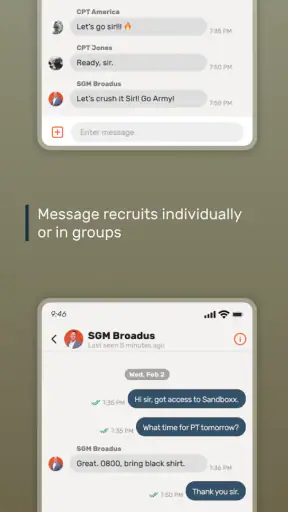
When someone you care about is away at recruit training, ordinary communication suddenly feels much harder. A quick text may not be possible, a handwritten letter takes time to prepare, and the waiting can make even a simple update feel important. Sandboxx is a lifestyle app built around that particular problem: helping people send letters to recruits through a more convenient digital process.
I approached it as a first-time user would, rather than treating it like a general messaging service. The useful question is not whether it can replace every way of staying in touch. It cannot. The better question is whether it makes sending a physical-style letter less intimidating and less time-consuming when a recruit is the person you are trying to reach. In my experience, that is where the app makes the most sense.
It is free to install, developed by Sandboxx, Inc., and available to an Everyone audience. The app belongs in the Lifestyle category, although its purpose is much narrower than a typical lifestyle utility. Its store summary focuses on sending letters overnight to a recruit, and that gives a good indication of its central appeal: turning a message written on a phone into a more traditional form of communication.
Getting from installation to a meaningful first letter
What to expect before you begin
The first thing I would tell a new user is to set the right expectation. This is not simply a private chat window where both people need the same app and can answer immediately. Its value comes from supporting communication with someone whose access to ordinary digital messaging may be limited or unavailable. That makes the experience more deliberate than sending a text, but also more useful in a situation where a text may not be practical.
The app has been available since June 8, 2015, and its continued presence is reflected in its scale: it has passed one million installs, with an average rating of 4.0 from roughly twenty-one thousand ratings. Those figures do not guarantee that every user will find the process perfect, but they do suggest that Sandboxx is addressing a real and recurring need rather than a one-off novelty.
Before opening it, have the recruit’s mailing information available and think about what you actually want to say. That sounds obvious, but it makes the first session much smoother. A letter is different from a quick message because it benefits from a little structure. I found it helpful to prepare a short update, a question the recruit could answer later, and one encouraging detail from home. That gives the message warmth without making the writing feel like a formal report.
The app is especially appealing for family members and friends who want to support a recruit but do not enjoy dealing with envelopes, stamps, handwriting, or uncertainty about the mailing process. It can also be useful when several people need a simple way to keep communication moving without each person having to learn a separate postal routine.
At the same time, I would not install it expecting a universal replacement for email, texting, or social networks. If the person you want to contact can already receive instant messages and prefers rapid conversation, a normal messaging app will be faster and more natural. Sandboxx is aimed at the gap between digital convenience on the sender’s side and letter-based communication on the recipient’s side.
Setting up the account without overthinking it
The setup feels easier when you treat it as a mailing task rather than as a social profile. Start by identifying the recruit carefully, then enter the requested recipient details with the same attention you would use on a physical envelope. Names and addresses are not the place for guessing or rushing. A small mistake here can matter more than any design issue inside the app.
I recommend keeping the recruit’s information in front of you while completing the form, rather than switching between several conversations or relying on memory. If the recruit has supplied a specific format for their address, follow that format. This is one of the less obvious practical lessons with an app like Sandboxx: the digital interface reduces writing and mailing effort, but it does not remove the need for accurate recipient information.
Once the initial details are entered, take a moment to inspect the message before sending it. Read it as if you were receiving it during a demanding training period. A clear opening, a few reassuring details, and a positive closing usually work better than a long stream of unrelated news. The app helps with the delivery workflow; the emotional quality still comes from the sender.
New users may also wonder whether they need to persuade the recruit to install the same application. That is not the way I would approach the service. Its main convenience is for the person sending the letter, so the recipient should be treated as someone receiving a letter rather than as another participant in a live chat. That distinction prevents a common misunderstanding at the very beginning.
The current version is 20.41.2, and the app supports devices running Android 8.0 or newer. On a compatible phone, the basic path is straightforward: install the app, create or access the necessary account information, identify the recruit, write the message, review the destination details, and proceed through the sending flow. The exact screens may change over time, but that overall sequence is the mental model I found most useful.
The first successful action: send a message with purpose
Your first successful action should not merely be opening the app or filling in a profile. It should be completing one thoughtful letter and reaching the final review step with confidence that the recipient details and message are correct. That gives you a clear result and teaches you how the service fits into your routine.
I would begin with a message that is personal but easy to read. Mention something specific from home, share one small piece of normal life, and add encouragement without making promises about things you cannot control. Asking a simple question can also help the recruit feel included in the next exchange. For example, you might ask what part of the week has been most challenging or what ordinary item from home they miss most. The point is to create something they will want to read, not to produce a perfect letter.
Use the preview or review stage carefully. Look for misspelled names, missing apartment or unit information where relevant, and sentences that could be misunderstood without your voice or facial expression. I also recommend checking dates and references to upcoming events. A recruit may read the letter later than you expect, so wording that depends on “today” or “tomorrow” can become confusing.
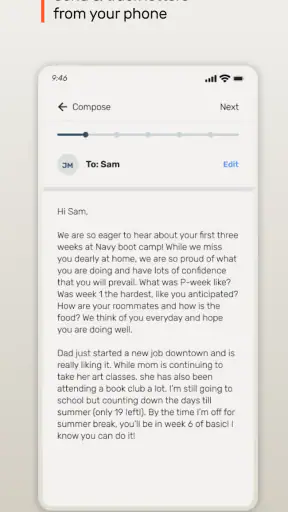
One practical advantage is that the phone becomes your writing surface while the recipient still gets a more traditional communication experience. That is a useful compromise for people who want to send something supportive but do not have the time or confidence to compose a handwritten letter. It also makes it easier to write when an idea occurs to you, rather than waiting until you have stationery and access to a mailbox.
Another useful workflow is to write the message in one sitting but delay final review for a few minutes. Come back and read it once more before completing the send process. This small pause catches emotional overreactions, accidental omissions, and details that sounded clear in your head but look different on the screen. It is a simple habit, yet it matters more here than in a casual chat because the message is intended to travel as a finished letter.
After sending, resist the urge to interpret silence as a problem. Recruit training can make replies irregular, and this service is designed for communication that is not necessarily instantaneous. The app can simplify your side of the exchange, but it cannot turn a recruit’s schedule into a normal messaging conversation. That is an important part of using it without unnecessary worry.
Where first-time users can become confused
The biggest source of confusion is the difference between sending digitally and receiving physically. From the sender’s perspective, the message is prepared on a phone. From the recruit’s perspective, the communication is part of a letter-based routine. If you expect a reply inside the app, an online status, or a live conversation, the experience may feel slower and less transparent than expected.
A second point is the importance of recipient selection. When a service is built around mailing information, choosing the right person is more consequential than selecting a contact in a normal chat app. Review the recruit’s identity and destination before every new letter, especially if you are supporting more than one person or if the recipient’s training location has changed.
There is also a psychological adjustment. Many people are used to editing a text repeatedly, sending it, and immediately seeing whether it was read. A letter does not offer that same rhythm. Sandboxx is most satisfying when you judge success by sending a clear, supportive message rather than by expecting instant confirmation. If you need immediate reassurance that someone has seen your words, this may not be the right communication tool for that particular moment.
The app’s rating of 4.0 is reasonably positive but not a sign that every edge of the experience will suit every household. I read that as a reason to approach it practically. The core idea is strong, while the process may still feel more involved than sending a normal message. The trade-off is worthwhile when the recipient’s circumstances make ordinary messaging unsuitable, but less compelling when they do not.
Another limitation is that the app cannot supply the personal knowledge needed to write a meaningful letter. It can guide the delivery process, but it does not know which family story will make the recruit smile or which concern should be handled gently. Users who expect an automated communication solution may be disappointed. Users who see it as a convenient bridge for their own words are more likely to appreciate it.
Turning one letter into a dependable routine
Once the first message is complete, the next step is to make communication sustainable. I would avoid waiting for a dramatic event before writing. Short, regular updates about everyday life can be more comforting than occasional long messages filled with news. Tell the recruit what happened at home, mention a familiar person or pet, and include a question that gives them an easy starting point for a future reply.
A helpful routine is to keep a small note on your phone with ideas for future letters. Add ordinary details as they happen: a meal you tried, a funny family moment, a change in weather, or a small task that reminded you of the recruit. This prevents every writing session from beginning with a blank screen. It also produces the kind of normal-life detail that can make a letter feel connected to home.
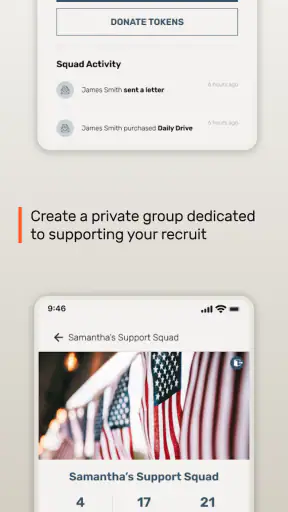
For families, coordination is worth considering. If several people send messages independently, the recruit may receive repeated versions of the same update. A shared private note or a simple family agreement about topics can make each letter more varied. One person might share household news, another might write about encouragement, and another might include a light story. Sandboxx handles the sending channel, while the family still benefits from planning the content.
Do not assume that longer is always better. A recruit may be tired or have limited time to read. A focused letter with a warm tone can be more effective than several pages of anxious questions. I also suggest avoiding messages that place pressure on the recruit to respond immediately. The strongest use of the app is supportive rather than demanding: give them something reassuring to receive, not another obligation to manage.
Comparing it with ordinary postal mail makes the trade-off clear. Traditional mail can feel deeply personal, and some people enjoy choosing paper, writing by hand, and preparing every part themselves. It may also be the better choice if the physical presentation is important to you. Sandboxx is more convenient for the sender, particularly when handwriting, postage, or regular trips to a mailbox are barriers. The choice depends on whether you value the ritual of mailing or the reduction of effort.
Compared with email, the app is better aligned with a recruit who is expecting letter-style communication rather than internet access. Email remains more flexible for attachments, quick editing, and back-and-forth discussion, but its usefulness depends on the recipient being able to check it. Compared with texting, Sandboxx sacrifices immediacy in exchange for fitting a communication environment where instant messages may not be dependable.
There is also a cost consideration that should be understood before building a routine. The app itself is free, which lowers the barrier to trying it, but sending a letter is a practical service rather than the same as tapping out a free chat message. I would review the final sending details each time and decide whether the convenience is worth it for the message you are preparing. For an important letter, many users will find that convenience meaningful; for a casual one-line update, another method may be more sensible when available.
Who will appreciate it, and who should skip it
I would recommend Sandboxx to parents, partners, relatives, and close friends who want a simpler way to send encouraging letters to someone in recruit training. It is particularly useful for people who are comfortable composing messages on a phone but less comfortable managing the physical mailing process. It also suits households that want to keep communication active without relying on the recruit to use the same app.
I would be more cautious about recommending it to someone who expects instant replies, live conversation, or a complete replacement for every form of contact. It is also not the best fit for a person who genuinely enjoys handwriting letters and already has a reliable postal routine. In that case, the app may remove a meaningful part of the experience rather than improve it.
For a first-time user, the reassuring path is simple: install it on a compatible device, keep the recruit’s details nearby, prepare a short and personal message, inspect the recipient information, and send only after reading the final version once more. Then give the communication time to work on the recruit’s schedule. That approach avoids the most common expectation gap and lets the app do what it is designed to do.
After using it, my view is that Sandboxx succeeds because it addresses a very specific emotional and logistical problem. It does not make distance disappear, and it does not provide the instant feedback of a chat service. What it does is make it easier for me to turn a phone-written message into a letter that can reach a recruit, which is a meaningful advantage in the right circumstances.
With more than seven thousand five hundred reviews and a broad install base, it has clearly become familiar to many people facing this exact communication challenge. I would still use it with realistic expectations and compare each message with the alternatives available to the recruit. When letter delivery is the practical bridge between home and training, the free app is worth trying. When immediate digital conversation is already possible, a standard messaging option will usually be simpler.
My recommendation is to start with one carefully written letter rather than committing to a large routine. If that first experience helps you communicate more comfortably and gives the recruit a welcome connection to home, Sandboxx has earned a place in your communication toolkit. If the process feels unnecessary because your recipient can already chat freely, skipping it is equally reasonable.


